Clarity first
A quiet green-and-cream homepage established visit-first content and a text-based menu.
How we translated a local restaurant's visit-first goal into a clear customer journey, structured menu, responsive website and working design preview.
Desktop and mobile screenshots captured from the public Mayura preview in October 2026. Some food visuals are illustrative rather than genuine dish photographs.
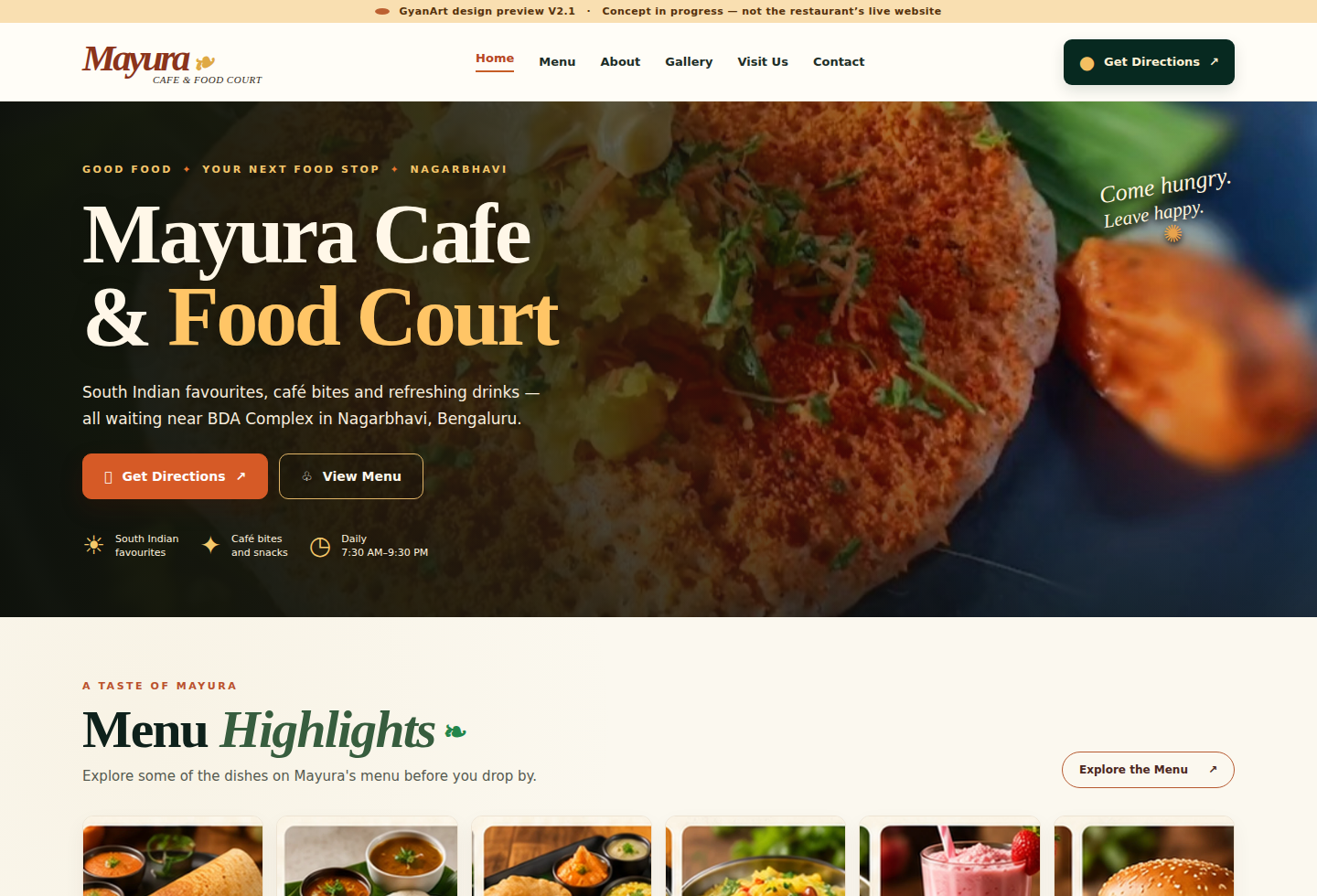
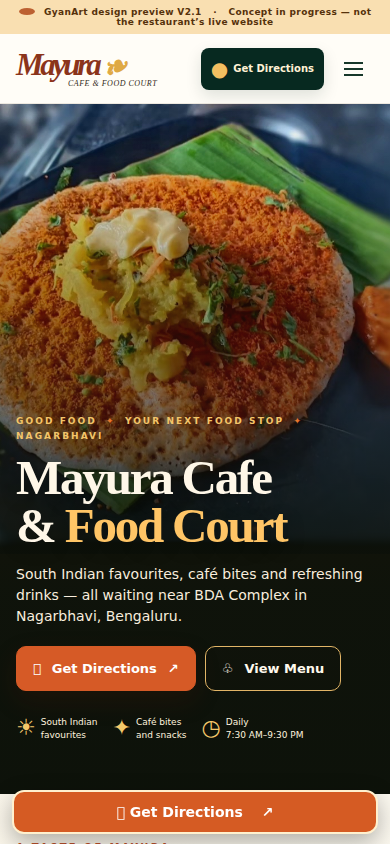
Mayura Cafe and Food Court is a neighbourhood restaurant near the BDA Complex, Nagarbhavi. Its menu spans South Indian tiffin, dosa, quick bites and drinks. The restaurant owner was actively involved in the website project and approved showcasing the project with GyanArt.
The agreed primary objective: help people find the restaurant and visit in person. We prioritised clear location information and directions without hiding the food experience.
Seven stakeholder decisions guided the website, including its primary action, Maps destination, address, operating hours and how to work with the physical menu.
| Decision | Input confirmed during the project | Design response |
|---|---|---|
| D01 | Help people find Mayura and visit in person | Get Directions is the main action |
| D02 | Owner-confirmed Google Maps destination | Use the same location URL in every directions link |
| D03–D04 | Near BDA Complex; full Nagarbhavi address | Make the landmark and address immediately useful |
| D05 | Monday–Sunday, 7:30 AM–9:30 PM | Make regular opening hours easy to find |
| D06 | Printed menu references supplied for research | Extract the supported categories as accessible text; never publish the supplied Google Maps menu screenshots |
| D07 | Menu prices may be used provisionally | Separate the editable menu data from the visual design |
These are stakeholder inputs. We are not presenting them as findings from user interviews or usability testing. The twelve copied Google Maps menu photos were used only to understand the food offering and are excluded from all public project images.
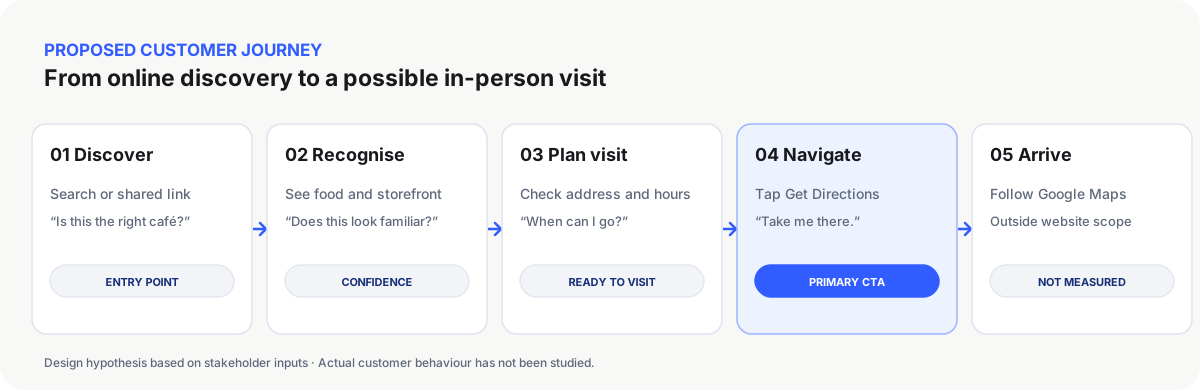
The journey below visualises the experience we designed for: Discover → Recognise → Plan → Navigate → Arrive. The website supports the journey through the directions action; actual arrival happens outside the site and has not been measured.
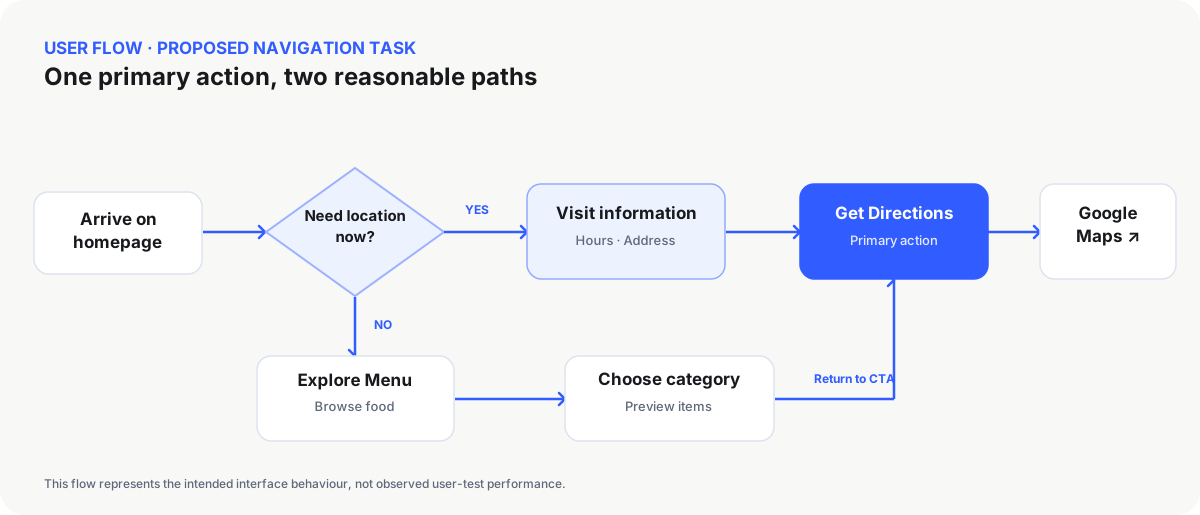
Visitors may want directions immediately or explore the menu first. Both paths lead back to the same clear Get Directions action and confirmed Maps location.
Mayura's homepage is organised around identity, verified visit information, browsable menu categories and directions. We chose editable food names and provisional prices instead of asking visitors to zoom into photographed menu boards.
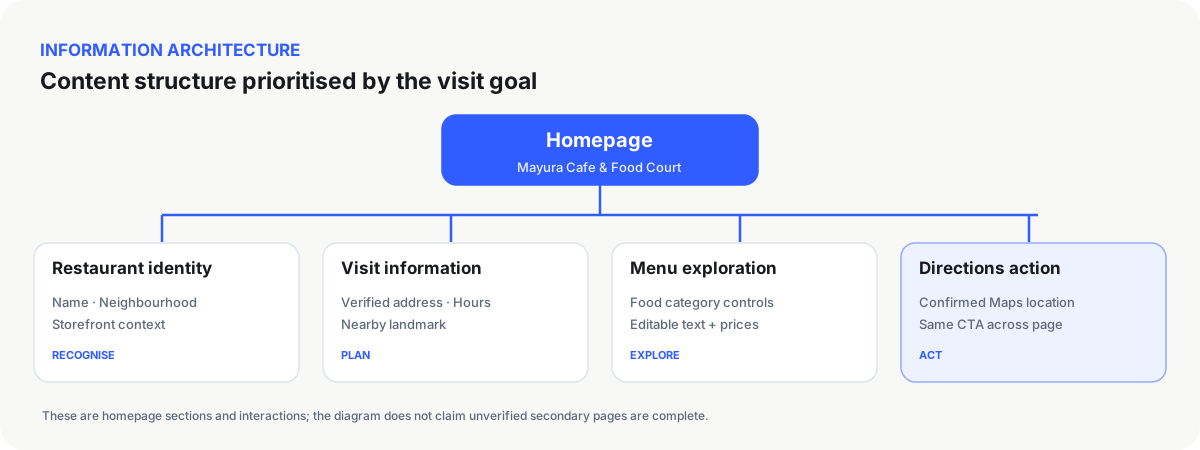
The menu structure drew on available evidence: South Indian breakfast, dosa and rotti, quick bites, pizzas and sandwiches, juices and shakes, and vegetarian starters. Prices remained provisional, with no unverified GST statement.
The early direction prioritised Mayura's name, local landmark, opening hours and a prominent Get Directions action, with food browsing close behind.
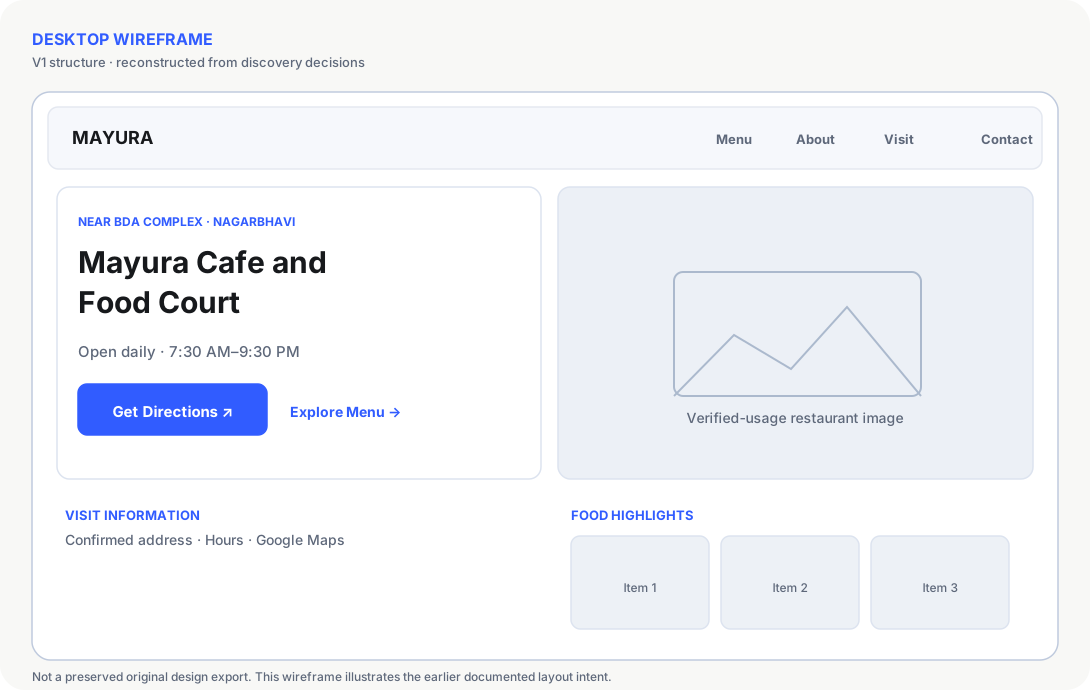
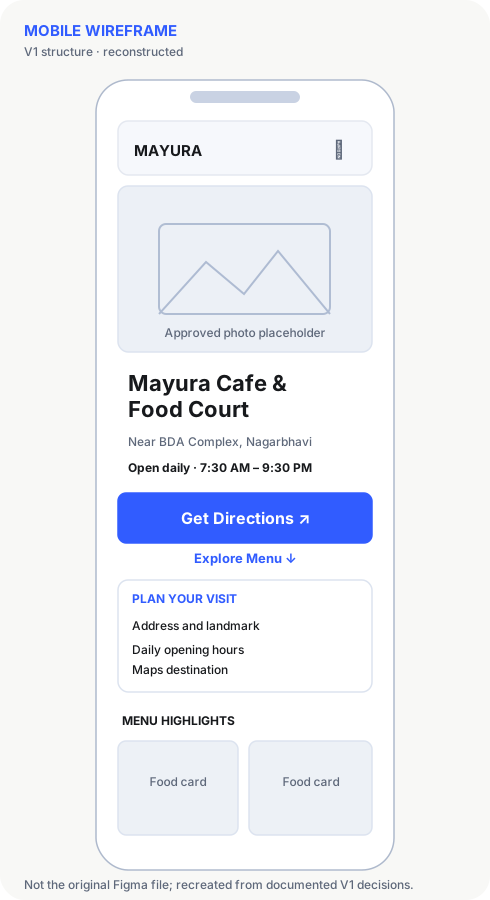
The direction changed as feedback arrived. The reason for each iteration matters as much as the visual differences.
A quiet green-and-cream homepage established visit-first content and a text-based menu.
Added illustrative food cards and category controls while keeping directions prominent.
Fixed standalone script loading and verified menu switching and mobile navigation.
After review, a responsive gradient softened the storefront photograph's edge. The updated live appearance was approved.
Images illustrating food are labelled as illustrations where they are not verified photos of dishes served at Mayura.
GyanArt developed the responsive homepage in HTML, CSS and JavaScript, with menu-category interaction, mobile navigation, directions actions, copyable address, keyboard focus treatment and consideration for reduced motion.
The website was committed through a dedicated GitHub repository and transferred to the hosting server using GitHub Actions over FTP/FTPS. Browser tests checked desktop, tablet and mobile widths, image loading, JavaScript errors and horizontal overflow.
What exists: a publicly accessible responsive design preview, working directions-first homepage, menu draft, documented stakeholder decisions, accepted design refinements and verifiable technical deployment.
Still pending: final owner approval of image rights and menu/GST information, alignment of older Menu/About/Visit pages, real-participant usability sessions, tracking of direction clicks and a decision to make this the restaurant's official live website.
What we are not claiming: improved rankings, more customers, more physical visits, revenue gains or quantified usability improvement. No such outcomes have been measured.
Until the restaurant officially signs off, its public website remains labelled a design preview and uses a noindex directive. The GyanArt case study itself documents the in-progress work.
See the website as it currently works while owner sign-off and final content validation continue.
View Mayura website ↗Tell GyanArt about the action you want your website visitors to take, and we'll plan the right experience.
Discuss Your Website →